Introduction
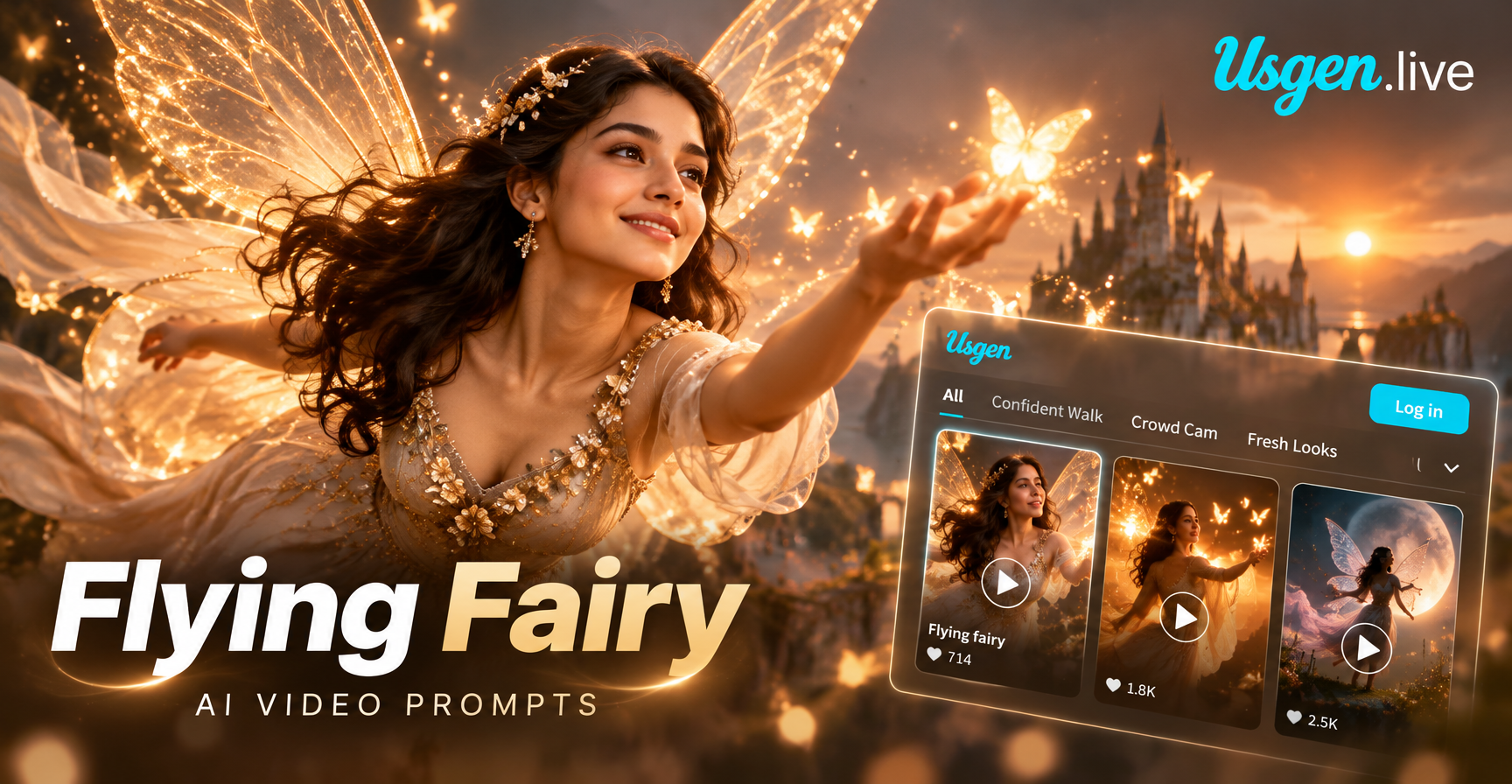
The rise of AI video generation has opened a door to fantasy worlds that once required expensive CGI and a full production team. Among the most enchanting trends is the flying fairy aesthetic, a dreamy combination of glowing wings, floating motion, and ethereal lighting. Whether you are a content creator, a storyteller, or simply someone who loves magical visuals, flying fairy AI video prompts let you generate cinematic clips in minutes. In this guide, you will learn how text to video AI works, which prompts deliver the best results, and how to refine your creations using style filters and image to video techniques.
What Are Flying Fairy AI Video Prompts?
A flying fairy AI video prompt is a descriptive text instruction that tells an AI video generator what to create. Instead of filming a real scene or drawing every frame by hand, you describe the motion, setting, lighting, and character details in words. The AI then translates that description into a moving video. For fairy scenes, effective prompts typically include elements like winged figures, floating movement, magical particles, soft glow, and natural backdrops such as forests or moonlit skies.
The quality of your result depends heavily on how well you structure the prompt. A vague request like 'a fairy flying' will produce generic output. A detailed prompt such as 'a small fairy with translucent glowing wings hovering above a bed of bluebells in a misty forest at dawn, gentle sparkles trailing behind her, soft cinematic lighting' gives the AI far more visual information to work with.
How Text to Video AI Brings Fairies to Life
Modern AI video tools combine large language models with diffusion based video generators. Here is a simplified breakdown of the process.
- Prompt parsing: The AI reads your text and identifies key visual nouns, adjectives, and motion verbs.
- Scene composition: It builds a rough layout of the scene, placing the fairy, background, and lighting according to your description.
- Motion synthesis: The model generates frame by frame movement, animating wings, floating motion, and background elements.
- Style application: If you choose a style template, such as Ghibli or cinematic, the AI applies that visual language on top of the generated scene.
Because the system works in stages, you can often improve poor results by adjusting either the prompt, the style template, or the reference image. This flexibility is what makes AI fairy videos so rewarding to experiment with.
Best Flying Fairy AI Video Prompts to Try
Below are several handcrafted prompts designed to produce enchanting results. Copy them, tweak them, and run them through the app to see different interpretations.
Prompt 1: Forest Guardian
A delicate fairy with iridescent wings hovers above a carpet of glowing mushrooms in a dark enchanted forest. Soft blue lights drift around her body. Her dress ripples gently as she floats. Cinematic depth of field, volumetric light rays, magical atmosphere.
Prompt 2: Moonlit Flight
A luminous fairy with long silver hair glides across a starry night sky. Her wings shimmer with pearl and gold tones. A full moon glows behind her silhouette. Tiny sparkling particles fall from her fingertips. Slow motion, dreamlike, fantasy film style.
Prompt 3: Waterfall Magic
A small winged fairy dances above a turquoise waterfall. Mist rises from the rushing water below and catches the sunlight, creating tiny rainbow arcs. The fairy's wings flutter fast, leaving a trail of soft light. Fresh, bright, high resolution nature cinematography.
Prompt 4: Winter Fairy
A frost fairy in a pale blue gown flies over a snow covered valley at sunrise. Ice crystals form delicate patterns on her wings. Her breath turns to mist in the cold air. Soft pink and gold morning light spills over the snowy peaks. Ethereal and serene.
Prompt 5: Garden Whimsy
A tiny fairy hovers beside a blooming pink peony in a sunlit garden. She sprinkles glowing pollen onto the petals. Bokeh background with soft green leaves and warm golden light. Macro lens look, shallow depth of field, gentle and charming.
Prompt 6: Dark Fantasy
A mysterious fairy with black feathered wings flies through a gothic cathedral at night. Candles flicker below as she passes stained glass windows. Shadows dance on ancient stone walls. Moody, cinematic, high contrast with deep purples and amber highlights.
Choosing the Right Style Filters for Magical Fairy Videos
Style filters are among the most powerful tools for shaping the mood of your fairy video. The app offers over one million style templates, each capable of transforming the same prompt into a completely different visual experience. Here are some style directions worth exploring.
Ghibli Style
The soft, hand drawn warmth of Ghibli style is perfect for gentle fairy stories. Expect pastel colors, rounded character designs, and a nostalgic, storybook feel. This style works especially well with forest, meadow, and village settings.
Cinematic Realism
For a more dramatic look, cinematic style adds film grain, shallow depth of field, and Hollywood style lighting. Use it when you want your fairy to feel grounded in a realistic fantasy world. Pair it with prompts that mention specific lighting conditions like golden hour or moonlight.
Anime Fantasy
Anime style filters emphasize expressive eyes, clean line work, and vibrant color palettes. This approach is ideal for series style content or when you want a more playful, energetic fairy character.
Watercolor and Oil Painting
Artistic filters turn your fairy video into a moving painting. Watercolor styles produce soft, fluid transitions, while oil painting adds rich textures. These are excellent for creating decorative, gallery like pieces.
3D Clay and Cute
For charming, child friendly content, 3D clay or cute style filters render the fairy as a stylized figurine. The result feels handmade and approachable, perfect for animated shorts or greeting style clips.
Step by Step: How to Create a Flying Fairy Video in Minutes
Creating your first fairy video is surprisingly simple. Follow these steps to go from idea to shareable clip.
Step 1: Download the App
The entire creation process happens inside the mobile app. Search for the tool on Google Play, install it, and open a free account. The interface is designed for quick navigation, so you can reach the text to video feature within a single tap.
Step 2: Enter a Prompt or Upload an Image
You have two main starting points. If you have a specific scene in mind, type a detailed prompt using the examples above as a guide. If you already have a fairy inspired image or even a self portrait, use the image to video option. The AI will animate your still photo and add the flying motion you request.
Step 3: Choose a Style Template
Browse the style library and select a filter that matches your vision. Do not be afraid to run the same prompt through multiple styles. The differences can be dramatic and often reveal a look you had not considered.
Step 4: Generate, Download, and Share
Tap generate and let the AI work. Within seconds, your video will be ready. Preview it, download it to your device, and share it directly to your social media platforms. The entire process takes less time than editing a traditional clip.
Expert Tips for Better Fairy Video Results
After generating many fairy videos, a few practical lessons stand out.
Be Specific About Motion
Words like 'hovering,' 'gliding,' 'fluttering,' and 'dancing' tell the AI exactly how the fairy should move. Generic verbs produce static looking output. Combine motion words with speed descriptors such as 'slow motion' or 'quick flutter' for more control.
Layer Sensory Details
Include at least one element of each type: a character trait (wing shape, hair color, dress style), an environment (forest, sky, waterfall), a lighting condition (dawn, moonlight, golden hour), and an atmospheric effect (sparkles, mist, bokeh). This layered approach gives the model a richer foundation.
Use Image to Video for Consistency
If you want the same fairy character across multiple clips, generate one image first and then use the image to video feature. This keeps facial features, wing design, and outfit consistent from clip to clip.
Test Multiple Styles on the Same Prompt
The same prompt can look entirely different in Ghibli style versus cinematic style. Running a prompt through three or four style filters is the fastest way to discover the aesthetic that resonates with your audience.
Keep Prompts Under 200 Words
While detail matters, overly long prompts can dilute the core scene. Focus on the most important visual elements and avoid contradicting instructions. One clear direction beats five competing ideas.
Use Cases for Flying Fairy AI Videos
Fairy videos are not just for personal enjoyment. Creators across many fields use them in practical ways.
Social Media Content
Dreamy, magical clips tend to perform well on platforms like Instagram Reels, TikTok, and YouTube Shorts. A short fairy flight loop with soft music can become a shareable moment or a signature visual identity for your profile.
Storytelling and Book Promotion
Authors and storytellers use fairy videos to visualize scenes from fantasy novels, children's books, and poems. These clips serve as engaging promotional material and help readers imagine the world you have written.
Digital Art and Concept Work
Concept artists and illustrators use AI fairy videos to test lighting, composition, and mood before committing to a full illustration. The speed of AI generation makes iteration fast and inexpensive.
Event Invitations and Greetings
A short fairy animation makes a memorable digital invitation for birthdays, baby showers, or fantasy themed events. Personalizing the fairy to resemble the recipient adds a thoughtful touch.
Common Mistakes to Avoid
Even experienced creators encounter occasional misfires. Here are the most common mistakes and how to avoid them.
Vague Prompts
A prompt like 'fairy in a forest' leaves too much room for random choices. Always specify at least wing appearance, time of day, and the fairy's action.
Overloading the Scene
Cramming every magical element into one prompt results in visual noise. Choose two or three focal details and let the rest of the scene breathe.
Ignoring Style Templates
Style filters are not an afterthought. They shape color, texture, and overall mood. Spend time browsing the filter library before finalizing your video.
Forgetting Aspect Ratio
If you plan to post on TikTok or Instagram Stories, generate in vertical format. For YouTube, use horizontal. Check the app's output settings before generating.
Frequently Asked Questions
Can I generate a flying fairy video without any design skills?
Yes. The app requires no editing or animation experience. You only need to describe what you want or upload an image. The AI handles the technical work.
What is the best prompt for a realistic fairy video?
Include cinematic lighting, a specific environment, and detailed wing description. For example: 'A realistic fairy with translucent dragonfly wings hovers above a misty lake at sunrise, soft golden light, shallow depth of field, cinematic film quality.'
Can I animate my own photo as a fairy?
Yes. The image to video feature lets you upload a portrait and apply fairy wings, floating motion, and magical effects while preserving your facial features.
How long does it take to generate a fairy video?
Most clips generate within a few seconds, though complex scenes may take slightly longer. The app is optimized for mobile and does not require a high end device.
Are fairy videos free to create?
The app offers free access to core features with optional filters and styles available. You can create and download your first fairy videos without paying.
Conclusion
Flying fairy AI video prompts turn imagination into motion. With a clear prompt, the right style filter, and a simple mobile workflow, you can create magical clips that stand out on any feed. Start with one of the example prompts above, experiment with different styles, and let the AI surprise you. Download the app today and bring your fairy vision to life.