AI Smooth Transition Video Generator

Explore a World of Transition Styles
Choose from our extensive library of AI-powered transition templates, from glitch effects and seamless wipes to cinematic dissolves and dynamic morphs.
Why Use AI for Video Transitions?
Our AI Smooth Transition Video Generator solves the most common video editing challenges, making professional results accessible to everyone.
Seamless Scene Blending
Our AI intelligently analyzes the content of two clips and creates a perfectly timed, smooth transition that feels natural. It matches motion, color, and subject for a cohesive flow, eliminating jarring cuts.
Seamless Scene Blending
Our AI intelligently analyzes the content of two clips and creates a perfectly timed, smooth transition that feels natural. It matches motion, color, and subject for a cohesive flow, eliminating jarring cuts.
Dynamic Transition Effects Library
Access hundreds of pre-designed transition styles: cinematic wipes, glitch effects, morphing, zooms, and light leaks. Apply them with one tap and customize intensity, speed, and direction to match your video's mood.
Dynamic Transition Effects Library
Access hundreds of pre-designed transition styles: cinematic wipes, glitch effects, morphing, zooms, and light leaks. Apply them with one tap and customize intensity, speed, and direction to match your video's mood.
One-Click Social Media Optimization
Generate transitions perfectly formatted for Instagram Reels, TikTok, YouTube Shorts, and more. The AI adjusts aspect ratio, duration, and pacing to meet platform best practices, maximizing engagement.
One-Click Social Media Optimization
Generate transitions perfectly formatted for Instagram Reels, TikTok, YouTube Shorts, and more. The AI adjusts aspect ratio, duration, and pacing to meet platform best practices, maximizing engagement.
AI Transition Video Gallery
See how creators are using AI transitions to elevate their content. From vlogs and travel videos to product showcases and music clips.



How to Create AI Smooth Transition Videos
Follow three simple steps to add professional transitions to your videos directly from your phone.

Step 01.
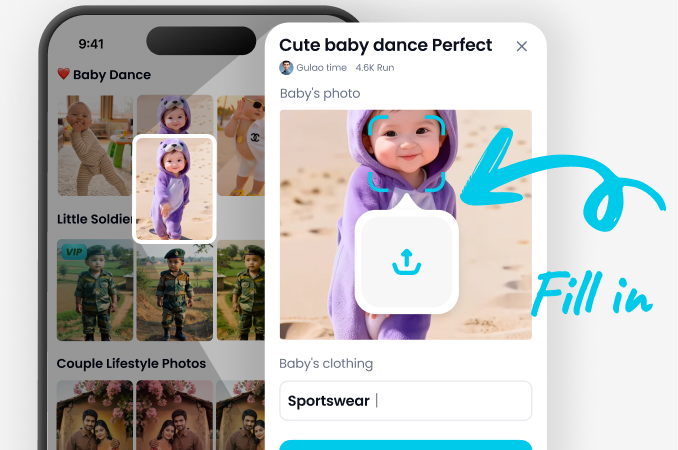
Download the usgen app from Google Play. It's your all-in-one mobile studio for AI video and image creation.
Step 02.
Select the 'AI Video' tool and choose the 'Transition' template. Upload your two video clips or select from sample footage.
Step 03.
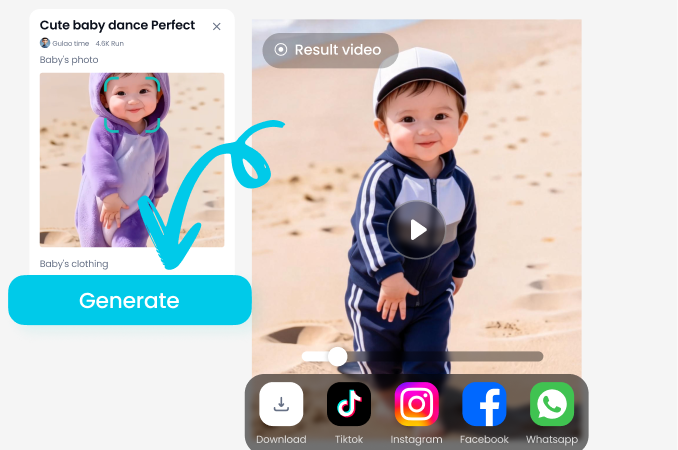
Pick a transition style, adjust settings, and let the AI generate your smooth video. Download and share instantly on your favorite platforms.
Creators Using AI Transitions

Leo Chen
My travel vlogs used to have awkward cuts. Now, with AI transitions, I create smooth, cinematic journeys that keep viewers engaged from start to finish. It feels professional.

Maya Rodriguez
Producing daily Reels for our brand was time-consuming. This AI generator crafts perfect transitions in seconds, allowing me to focus on strategy and storytelling.

Alex 'Frost' Kim
My montage clips stand out now. The glitch and speed ramp transitions add so much energy and polish. It makes my gameplay highlights look like a trailer.

Dr. Sarah James
Explaining complex concepts with smooth visual transitions helps my students follow along better. The AI makes my educational videos more dynamic and less tedious to edit.
Leo Chen
My travel vlogs used to have awkward cuts. Now, with AI transitions, I create smooth, cinematic journeys that keep viewers engaged from start to finish. It feels professional.
Maya Rodriguez
Producing daily Reels for our brand was time-consuming. This AI generator crafts perfect transitions in seconds, allowing me to focus on strategy and storytelling.
Alex 'Frost' Kim
My montage clips stand out now. The glitch and speed ramp transitions add so much energy and polish. It makes my gameplay highlights look like a trailer.
Dr. Sarah James
Explaining complex concepts with smooth visual transitions helps my students follow along better. The AI makes my educational videos more dynamic and less tedious to edit.
Leo Chen
My travel vlogs used to have awkward cuts. Now, with AI transitions, I create smooth, cinematic journeys that keep viewers engaged from start to finish. It feels professional.
Maya Rodriguez
Producing daily Reels for our brand was time-consuming. This AI generator crafts perfect transitions in seconds, allowing me to focus on strategy and storytelling.
Alex 'Frost' Kim
My montage clips stand out now. The glitch and speed ramp transitions add so much energy and polish. It makes my gameplay highlights look like a trailer.
Dr. Sarah James
Explaining complex concepts with smooth visual transitions helps my students follow along better. The AI makes my educational videos more dynamic and less tedious to edit.
AI Smooth Transition Video FAQs
Get quick answers to common questions about generating seamless video transitions with AI.
More Topics You May Like
Explore more topics you may like and discover fresh ideas tailored to your interests.
Create Stunning Twitch Banners Instantly with AI
Usgen AI Baby Generator: Free Baby Face Predictor Online

Usgen AI Birthday Party Video Effect Generator:Free Online Birthday Celebration Video Maker
Usgen AI Black And White Portrait:Free Online Cinematic Noir Portrait Maker
Create Stunning Twitch Banners Instantly with AI
Usgen AI Baby Generator: Free Baby Face Predictor Online
Usgen AI Birthday Party Video Effect Generator:Free Online Birthday Celebration Video Maker
Usgen AI Black And White Portrait:Free Online Cinematic Noir Portrait Maker
Elevate Your Videos Instantly
Stop using boring cuts. Start creating engaging, professional videos with AI-powered smooth transitions. Download the app and see the difference.
Elevate Your Videos Instantly
Stop using boring cuts. Start creating engaging, professional videos with AI-powered smooth transitions. Download the app and see the difference.